
GPT Image 2.6
Make animated GIFs and images with GPT Image 2.6 online
GPT Image 2.6 is OpenAI’s newest image model, and the first that draws animated GIFs: a waving mascot, a looping sticker, a character in motion. It is also about 50% faster than 2.5. Type a prompt below to make a GIF or a still, with no API key and no ChatGPT plan.
An 8-frame loop, about one second long, 30 credits at medium quality. You pick the quality on the next screen, where the GIF is made.
GPT Image 2.6 GIF examples
Animated GIFs that OpenAI and its partners published from GPT Image 2.6, with the prompts behind them. Press Use this prompt to load one into the box, set to GIF.
Create a single animation sprite sheet for a seamless looping GIF. A super-cute chibi adult office worker sits at a desk watching a computer monitor with a clearly soaring stock-market line chart and a large upward arrow. The sequence: notices the chart rising, eyes widen with delight, jumps up cheering, grabs a handful of generic paper banknotes with no readable currency markings, then happily tosses the banknotes into the air like confetti while laughing. Oversized round head, tiny body, big sparkling expressive eyes, soft rounded features, messy fluffy hair, white shirt and loosened tie. Exactly 6 sequential frames arranged in a precise 3-column by 2-row grid, read left-to-right then top-to-bottom. Every panel has identical dimensions. Fixed front three-quarter camera, same character, desk, monitor, outfit, and cozy miniature office background. Clear incremental body, arm, and flying-paper motion; sixth frame transitions smoothly toward the first. Polished kawaii chibi 3D toy-like style, bright celebratory pastel lighting, funny joyful mood. No captions, no words, no numbers, no logos, no real currency symbols, no speech bubbles, no panel labels, no borders, no gutters.
Source: OpenAI with OpenArt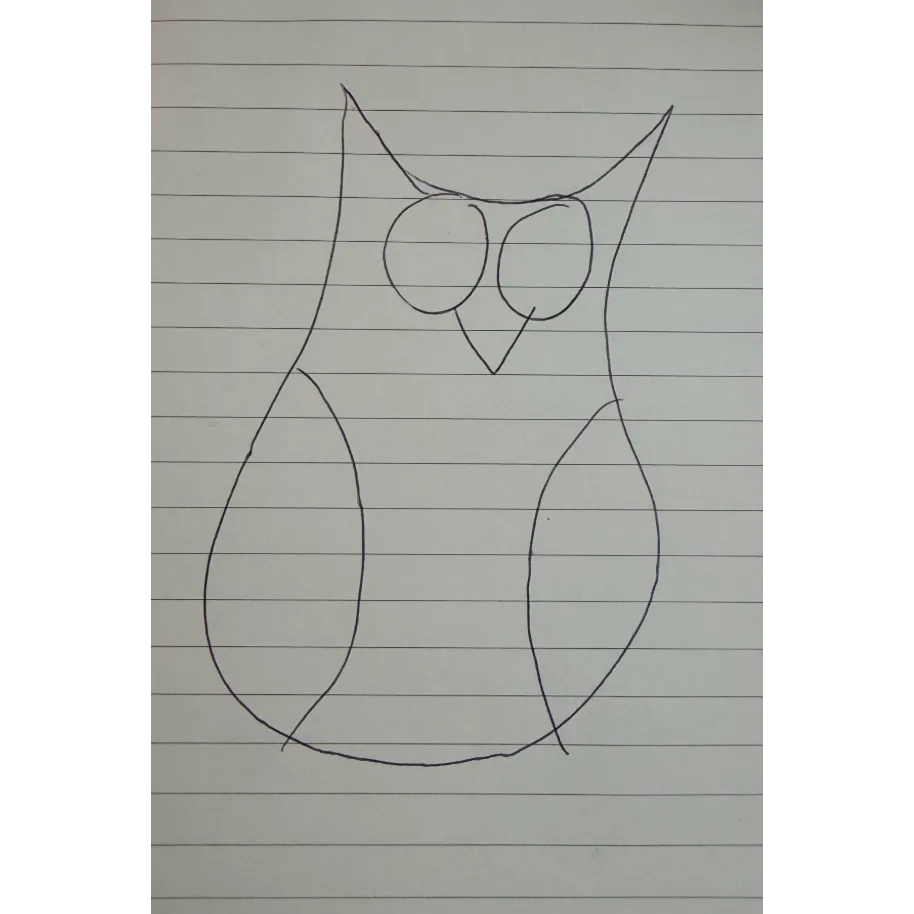 Before
 After
Turn this hand-drawn owl sketch into a cute animated cartoon owl.
Source: OpenAI
A white rooster dancing in front of a blue wall, from OpenAI’s ChatGPT Images 2.6 launch video.
Source: OpenAI
Create a single animation sprite sheet for a seamless looping GIF. A super-cute chibi adult office worker sits at a desk watching a computer monitor with a clearly plunging stock-market line chart. The sequence: hopeful expression, notices the chart falling, eyes widen, face crumples, large cartoon tears stream down both cheeks, then quietly wipes tears while still staring at the falling chart. Oversized round head, tiny body, big expressive eyes, soft rounded features, messy fluffy hair, white shirt and loosened tie. Exactly 6 sequential frames arranged in a precise 3-column by 2-row grid, read left-to-right then top-to-bottom. Every panel has identical dimensions. Fixed front three-quarter camera, same character, same desk, monitor, outfit, and cozy miniature office background. Clear incremental facial and tear motion; sixth frame transitions smoothly toward the first. Polished kawaii chibi 3D toy-like style, warm pastel lighting, funny and sympathetic mood. No captions, no words, no numbers, no logos, no speech bubbles, no panel labels, no borders, no gutters.
Source: OpenAI with OpenArt
A felted fox mascot waving on a felt landscape, as a looping GIF.
Source: OpenArt
Generate an actual animated GIF file, not a still picture, sprite sheet, video, or Python-coded animation. Square 512 by 512 pixels, a seamless 2-second loop. A bright orange reusable water bottle with a charcoal screw cap and a small turquoise circular badge remains centered on a pale gray studio background. The bottle rocks gently left and right and returns to its starting pose; the camera and background stay fixed. The bottle reads exactly "KINGY LAB" and "750 mL" throughout. No other text or objects. Use ChatGPT's native GIF generation and provide the downloadable GIF. If native GIF generation is unavailable, state that limitation rather than simulating it with code.
Source: Kingy AI
Steam rising from a coffee cup on a sunny windowsill, as a looping GIF.
Source: OpenArt
A comic-style “SALE 50% OFF” burst badge that sparkles, as a looping GIF.
Source: OpenArt
A line of green cartoon characters in straw hats reading newspapers, as a looping GIF.
Source: TestingCatalogWhat is GPT Image 2.6?
GPT Image 2.6 is the image model OpenAI released on November 4, 2026. In ChatGPT it is called ChatGPT Images 2.6; in the API it comes as two models, GPT-Image-2.6 Flare for fast everyday work and GPT-Image-2.6 Sunburst for the highest quality, the same pair of names OpenAI used for 2.5.
The headline is animation. 2.6 can return an animated GIF instead of a single picture, keeping the character the same from frame to frame, so a mascot can wave, a logo can bounce and a sketch can come to life. OpenAI also says both API models make images about 50% faster than before, and that Sunburst keeps details steadier from one edit to the next.
Everything else carries over from 2.5: sharp text inside images, careful layouts, transparent backgrounds and sizes up to 3840 pixels on the long side. On Flow AI Studio, 2.6 runs as Flare, for both stills and GIFs, and any still can go straight on to a Veo 3.1 video.
“Images 2.6” and “GPT Image 2.6” are one model
ChatGPT Images 2.6 is the name inside ChatGPT. Developers call the same release GPT-Image-2.6, served as Flare and Sunburst.
Flare and Sunburst are not new models
They are the two speeds of 2.6, as they were of 2.5. Flare is the default and the fast one; Sunburst trades time for detail.
GIFs in ChatGPT were still rolling out
On launch day some ChatGPT users could not make GIFs yet and asked whether the API was needed. The box on this page calls the API version, so GIFs work here now.
GPT Image 2.6 image examples with prompts
Stills published with GPT Image 2.6: posters and type, characters, products, photos and edits. Copy a prompt, or press Use this prompt to load it into the box as a still image.
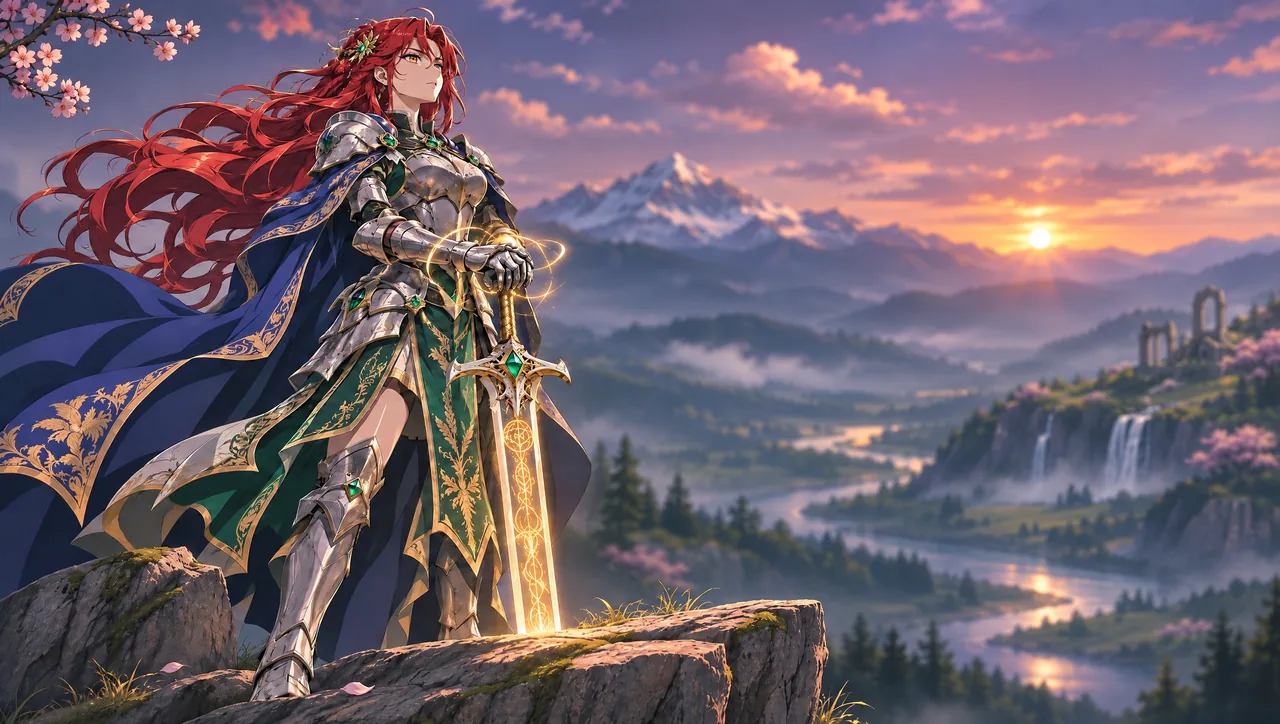
Replace the moonlit landscape with a golden sunset over a misty mountain valley, winding river, waterfalls and ancient ruins. Keep the background softly blurred and the knight, armor, sword, rock and composition unchanged.
Source: OpenAI with Higgsfield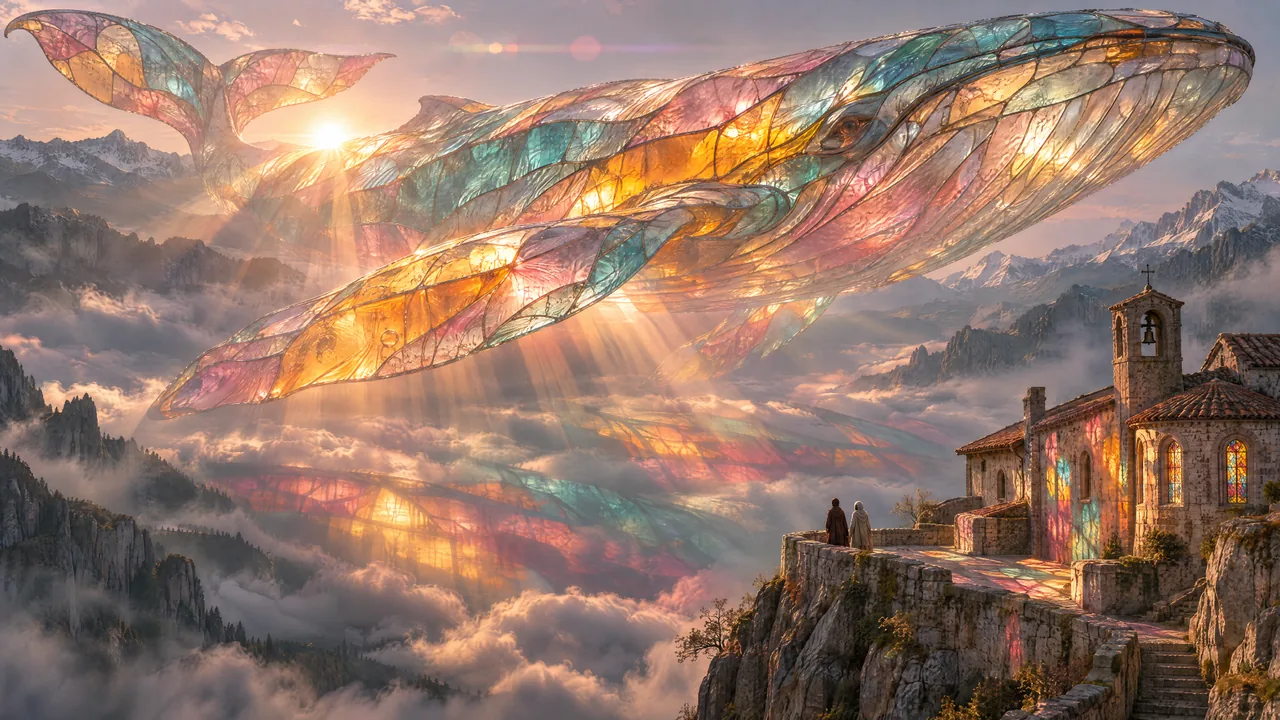
A giant multicolored glass whale floats above misty mountains beside a stone chapel at sunset.
Source: OpenAI with Picsart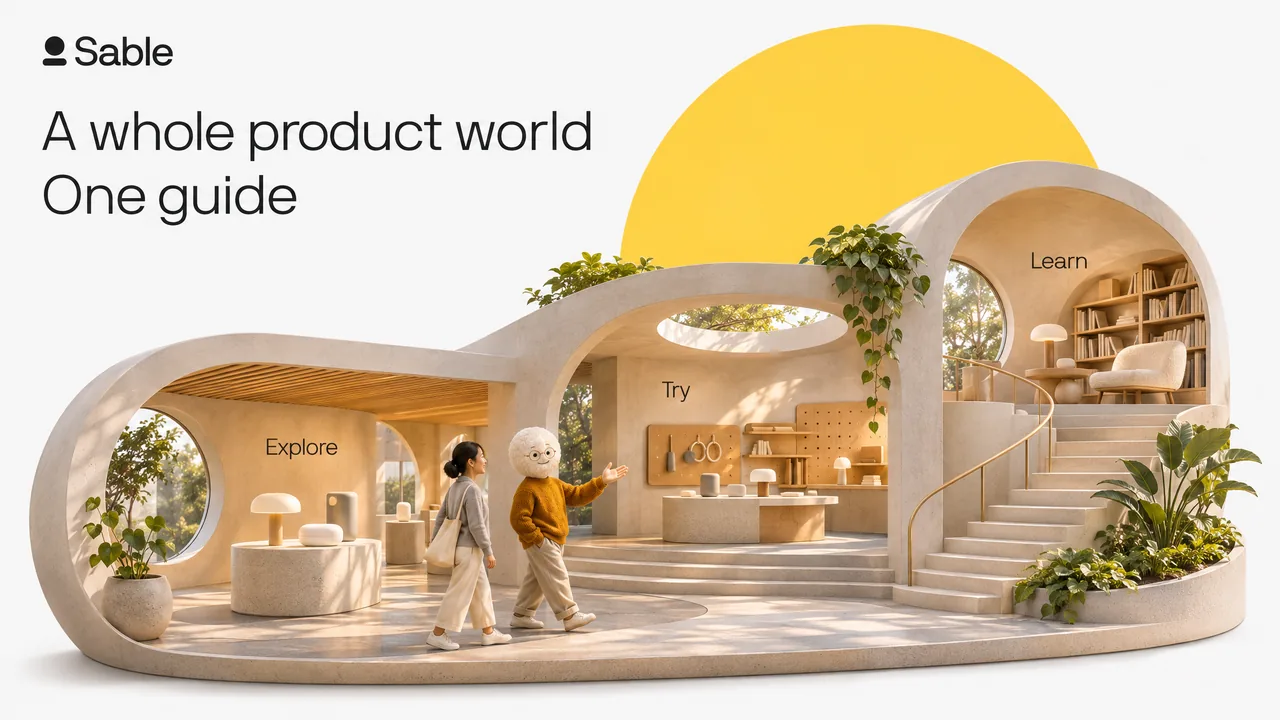
Create one exceptional finished presentation slide for Sable, not a layout template. The slide must have one powerful visual idea, the craft of a premium brand campaign and restrained, beautifully readable typography. Image 1 is a reference for the genuine Sable logo, colour palette, and light type ONLY: do not imitate its specimen-sheet layout. Image 2 is the identity reference for Aidan: a white rounded, softly textured head, subtle round spectacles, mustard knit sweater. Preserve his recognizable design when creating a new pose or scene. Aidan is a friendly AI product expert who sees, clicks and explains. The artwork should make this product idea understandable through visual storytelling. Use NB International-style Light/Regular typography, no bold or heavy fonts. Brand colours: #FFDB4D yellow, #F9F9F9 ground, #1B1D1F ink, warm neutral greys. A full black or full yellow brand pop slide is allowed when explicitly requested below. Flat, clean surrounding canvas; no grain, decorative gradients or interface drop shadows. Natural lighting and physical occlusion inside photographic artwork are allowed. Do not create a three-column feature layout, cards, bullet lists, dashboards, stock icon diagrams, a contact sheet or a fake browser screenshot. No generic floating glass panels. No invented metrics, claims, dates or brands. Use only the exact supplied copy and a small authentic Sable logo, with ample safe margins. All text must be legible. Produce the actual full-bleed slide, no external mockup frame. Art direction: a spectacular, warm, photographically convincing miniature architectural world, shown as one continuous cutaway diorama on a flat #F9F9F9 canvas. A single generous capsule-shaped floor plate curves through three interconnected spaces: a place to explore a product, a hands-on product workshop, and a quiet learning space. The spaces have distinct heights, arches, staircases and tiny abstract product objects that make the scene reward a closer look. They form ONE inhabitable world, not three disconnected models. Aidan is a miniature physical character guiding a single visitor along a clearly continuous route through this world; include just one Aidan and one visitor, with believable scale. A giant yellow disc stands behind the entire architectural silhouette like a sun, while a capsule and circular openings are built into the architecture. Let this rich composition occupy roughly two-thirds of the slide. Beautiful daylight, tactile craftsmanship and elegant restraint, not a busy toy town or a tech isometric icon. Integrate the title in the remaining generous blank space, not on top of intricate architecture. Exact headline on two light-weight lines: "A whole product world" / "One guide". Optional tiny wayfinding inside the three spaces, exactly once each: "Explore", "Try", "Learn". No additional text.
Source: OpenAI with Sable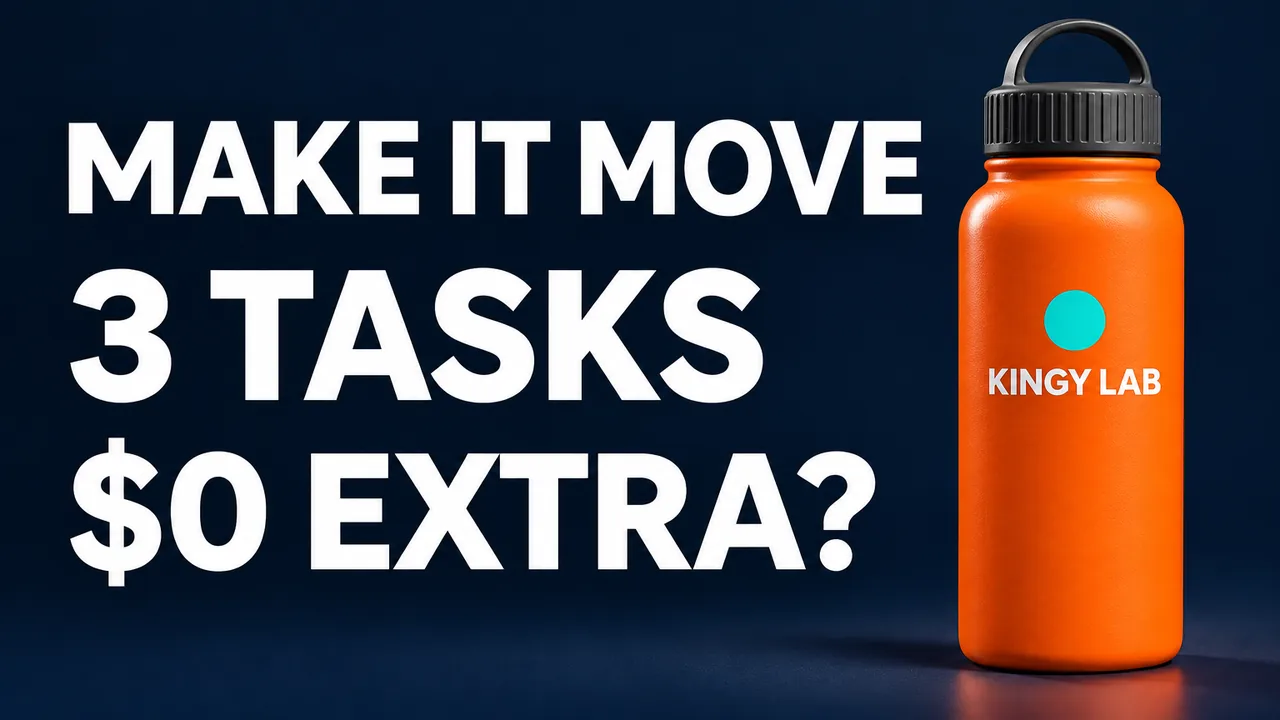
Create one finished 16:9 thumbnail, 1536 by 864 pixels. A bright orange reusable water bottle with a charcoal screw cap and a small turquoise circular badge stands on the right against a dark navy studio background. On the left, render exactly these three lines in large white type: "MAKE IT MOVE" / "3 TASKS" / "$0 EXTRA?". The only other visible text is "KINGY LAB" printed on the bottle. Keep the bottle fully inside the frame. Use crisp commercial lighting, clear whitespace, and no additional objects or text. Generate the image now, without asking questions.
Source: Kingy AI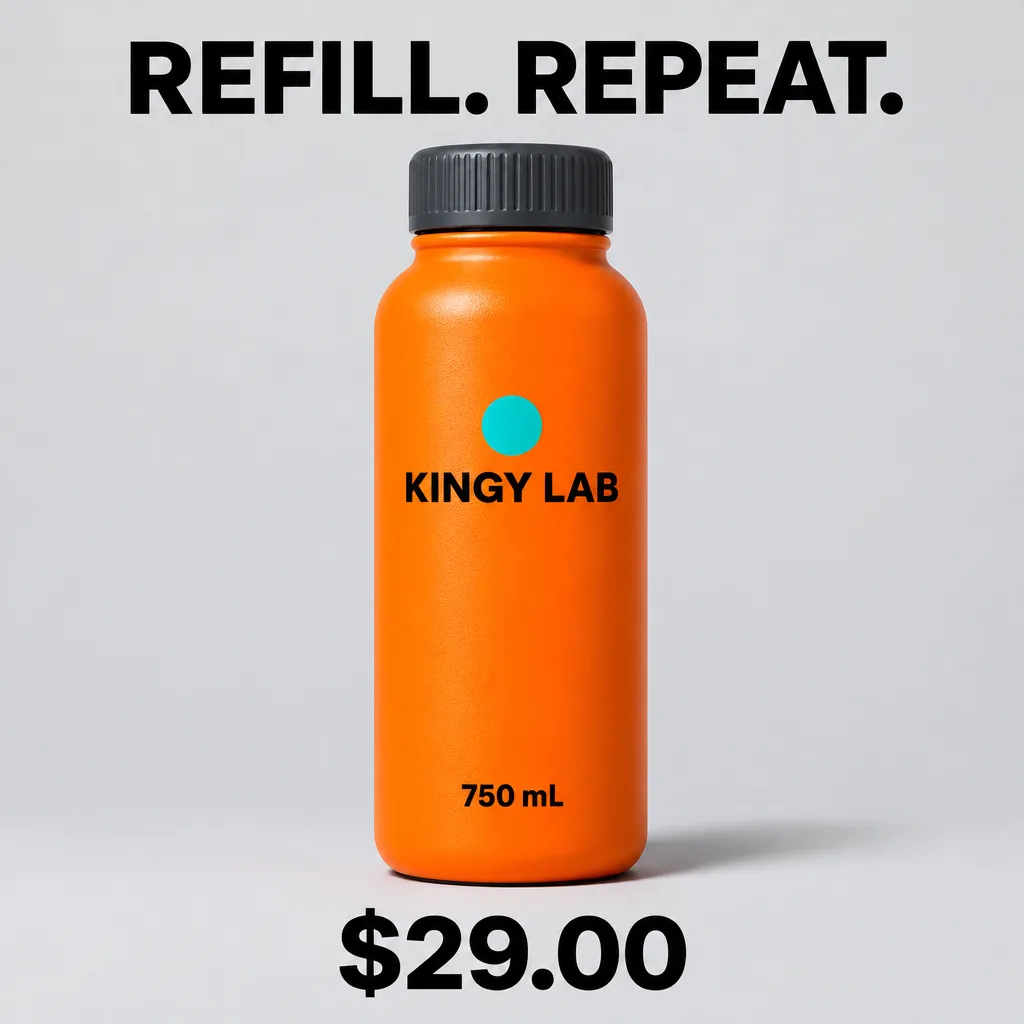
Create one finished square product graphic, 1024 by 1024 pixels. Show a bright orange reusable water bottle with a charcoal screw cap and a small turquoise circular badge, centered on a pale gray studio background. Print exactly "KINGY LAB" and "750 mL" on the bottle. Place exactly "REFILL. REPEAT." as a headline above it and "$29.00" below it. No other text or objects. Use crisp commercial lighting. Generate the image now, without asking questions.
Source: Kingy AI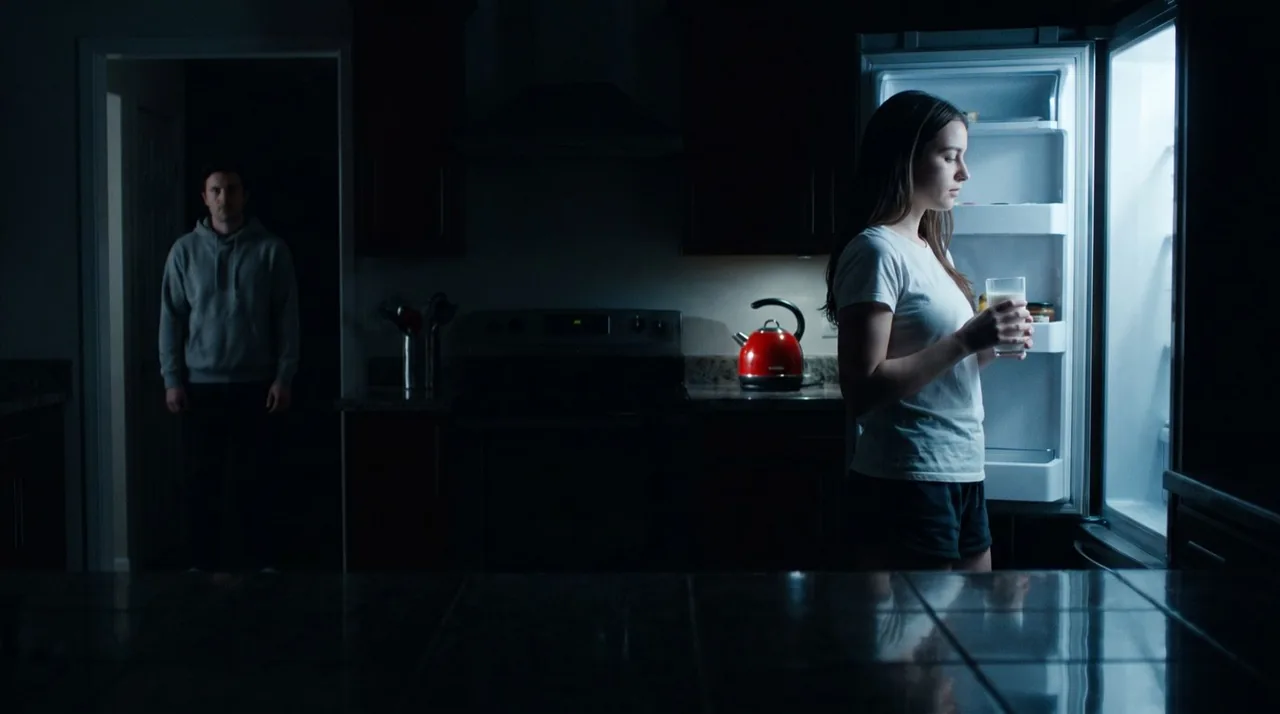
A kitchen at night lit only by an open fridge, with a figure in the doorway behind: an example of complex lighting.
Source: OpenArt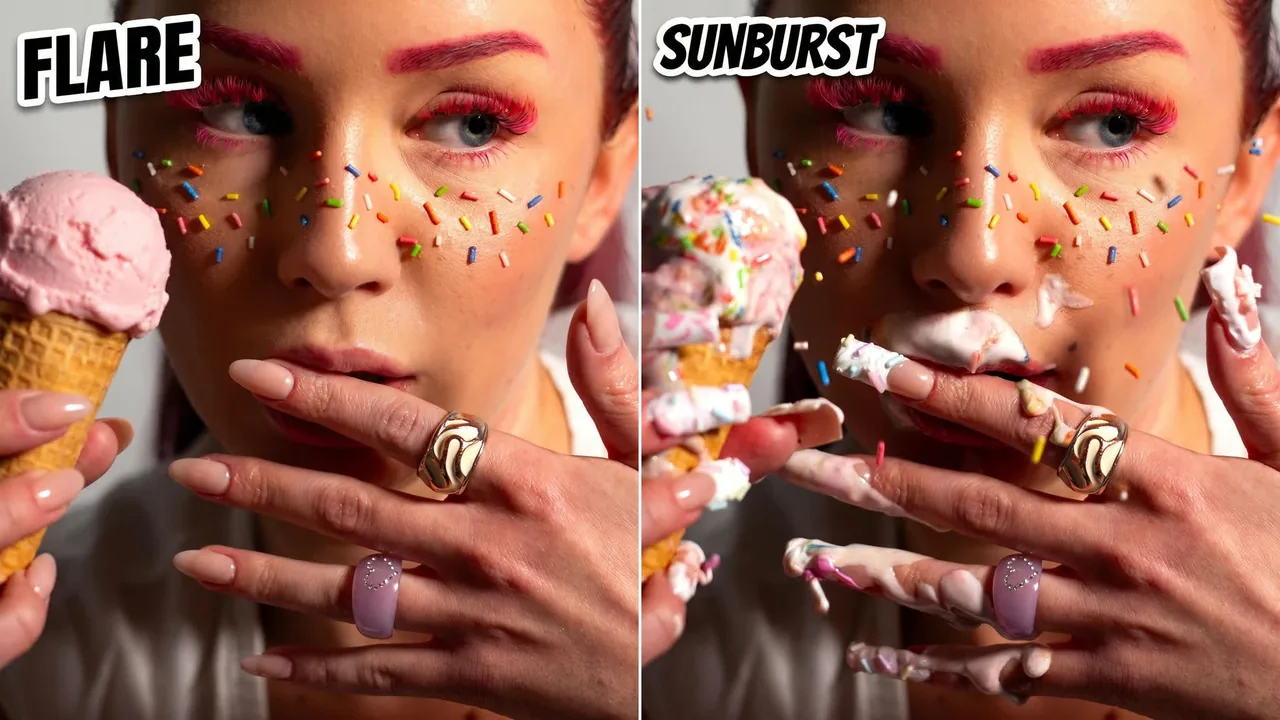
The same close-up beauty portrait with candy sprinkles, made with Flare (left) and with Sunburst (right), which adds more detail.
Source: OpenArt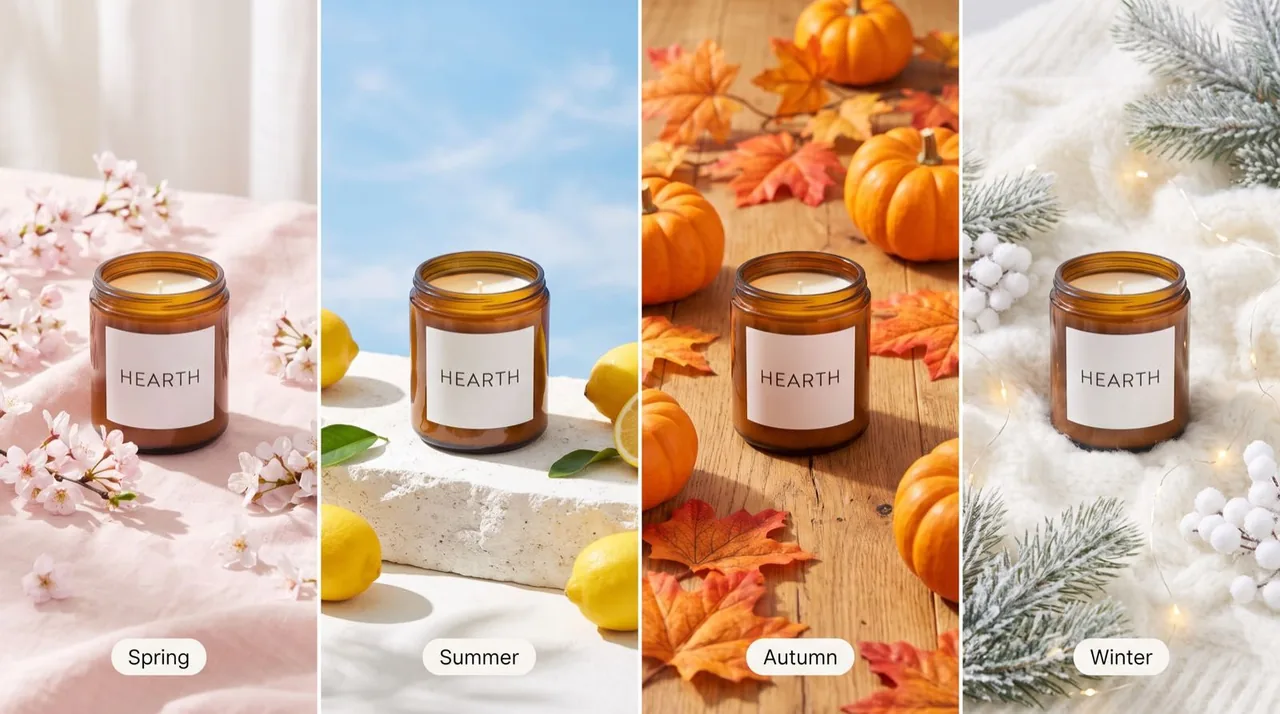
The same HEARTH candle restyled for spring, summer, autumn and winter product photos.
Source: OpenArt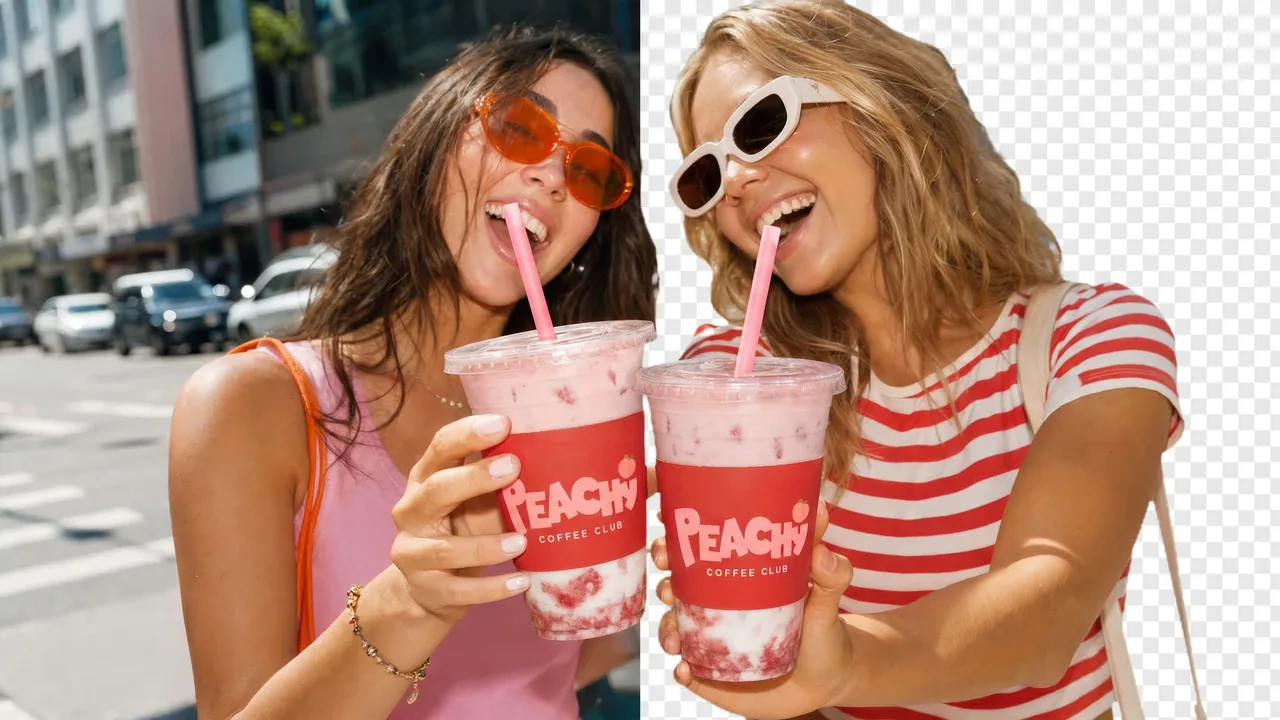
Two friends laughing with PEACHY Coffee Club iced drinks: the original street photo on the left, the same people cut out on a transparent background on the right.
Source: OpenArt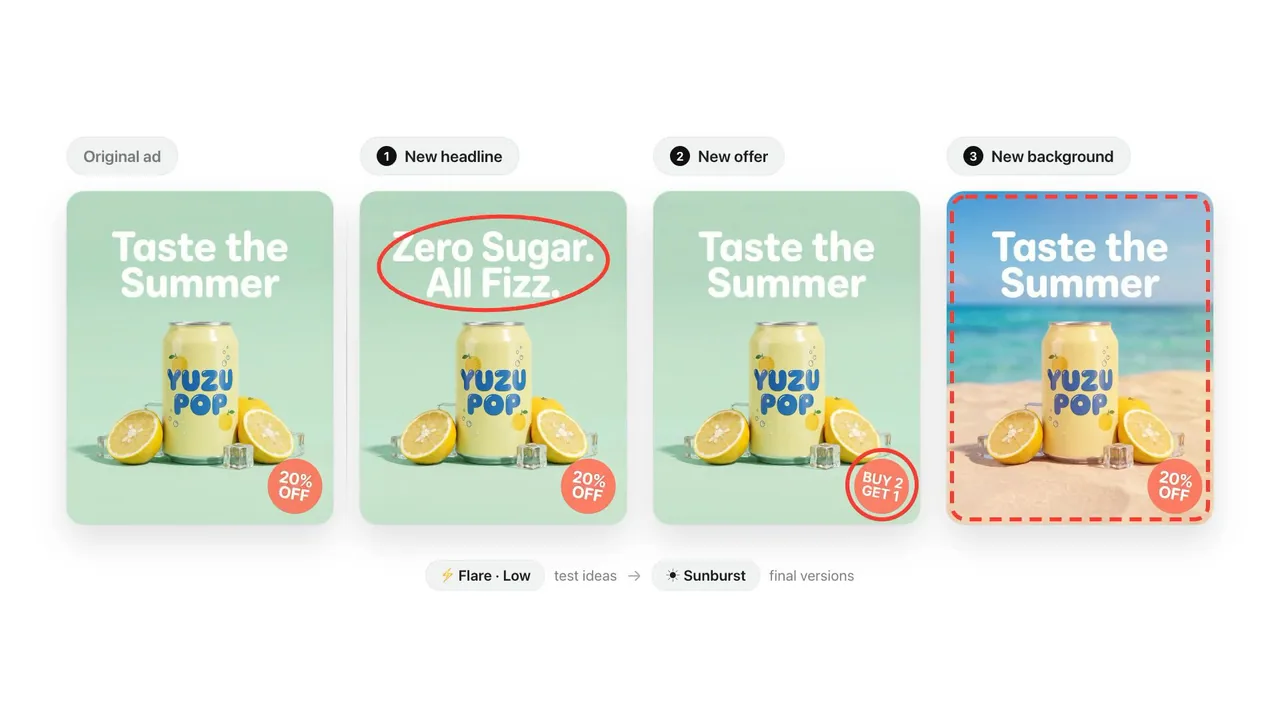
One YUZU POP ad edited three ways, one change each: a new headline, a new offer and a new background.
Source: OpenArtBefore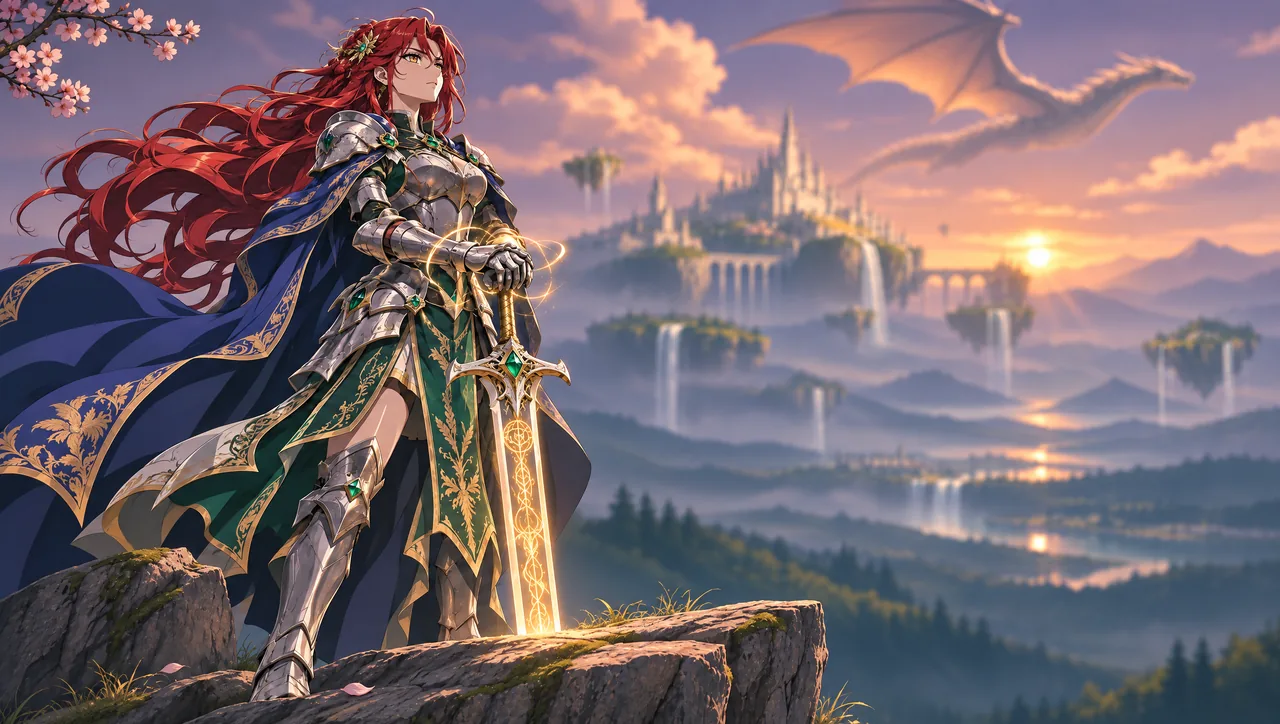 After
Replace the background with a majestic floating castle, smaller floating islands, cascading waterfalls and a dragon flying overhead. Preserve the warm sunset, atmospheric haze and shallow depth of field. Keep the knight and foreground unchanged.
Source: OpenAI with HiggsfieldBefore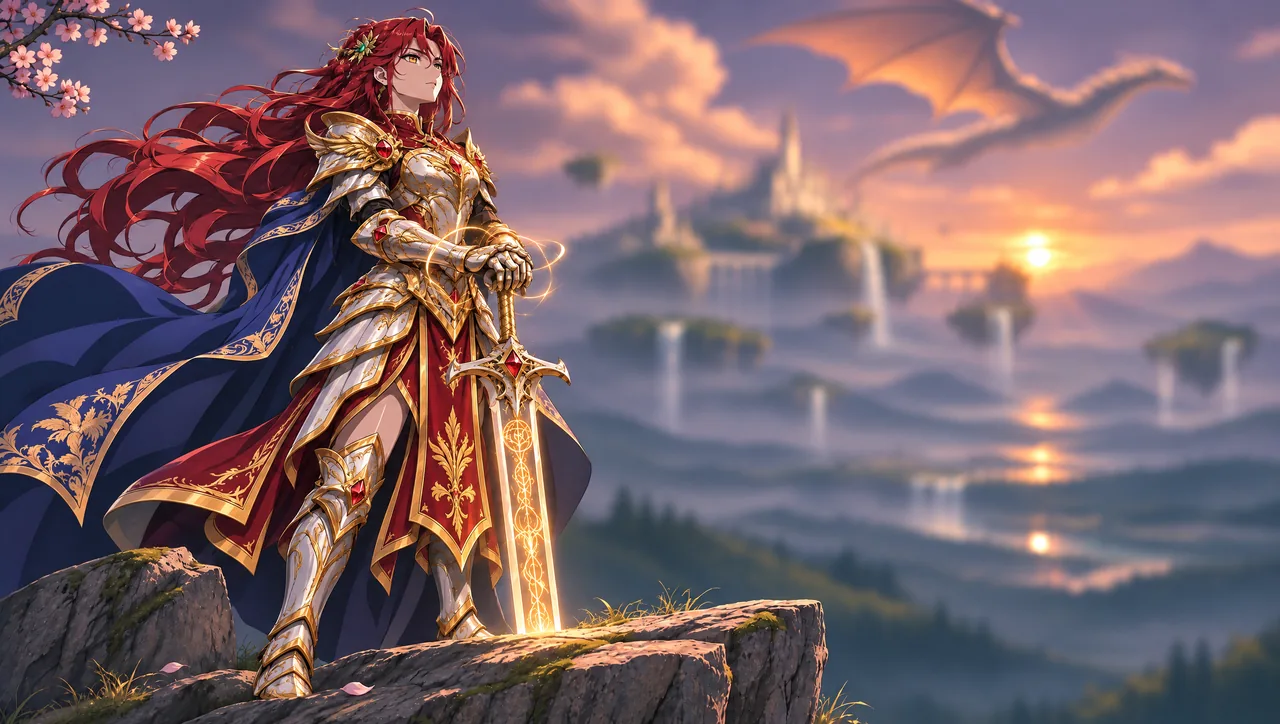 After
Recolor the armor to ivory white with rich gold trim, replace emerald gemstones with rubies, and change green fabric panels to deep crimson. Preserve the armor design, blue cape, red hair, golden sword glow, pose and background.
Source: OpenAI with Higgsfield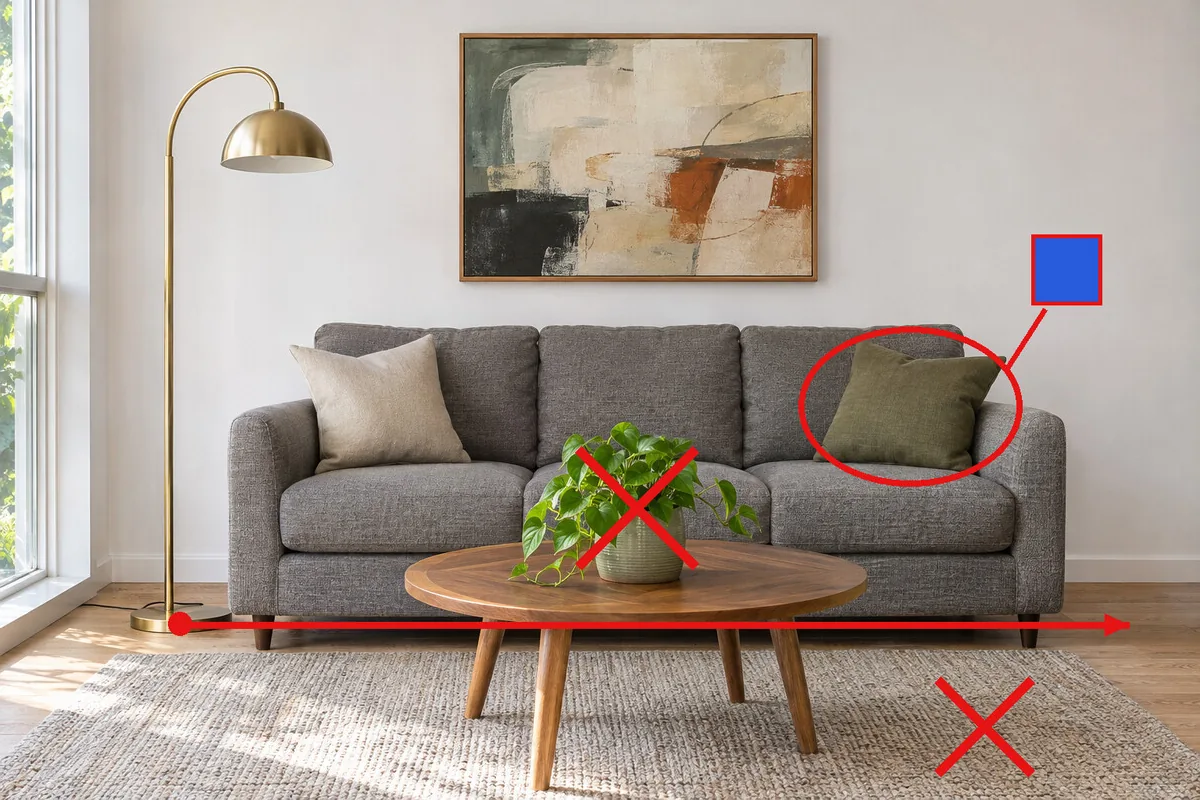 Before
 After
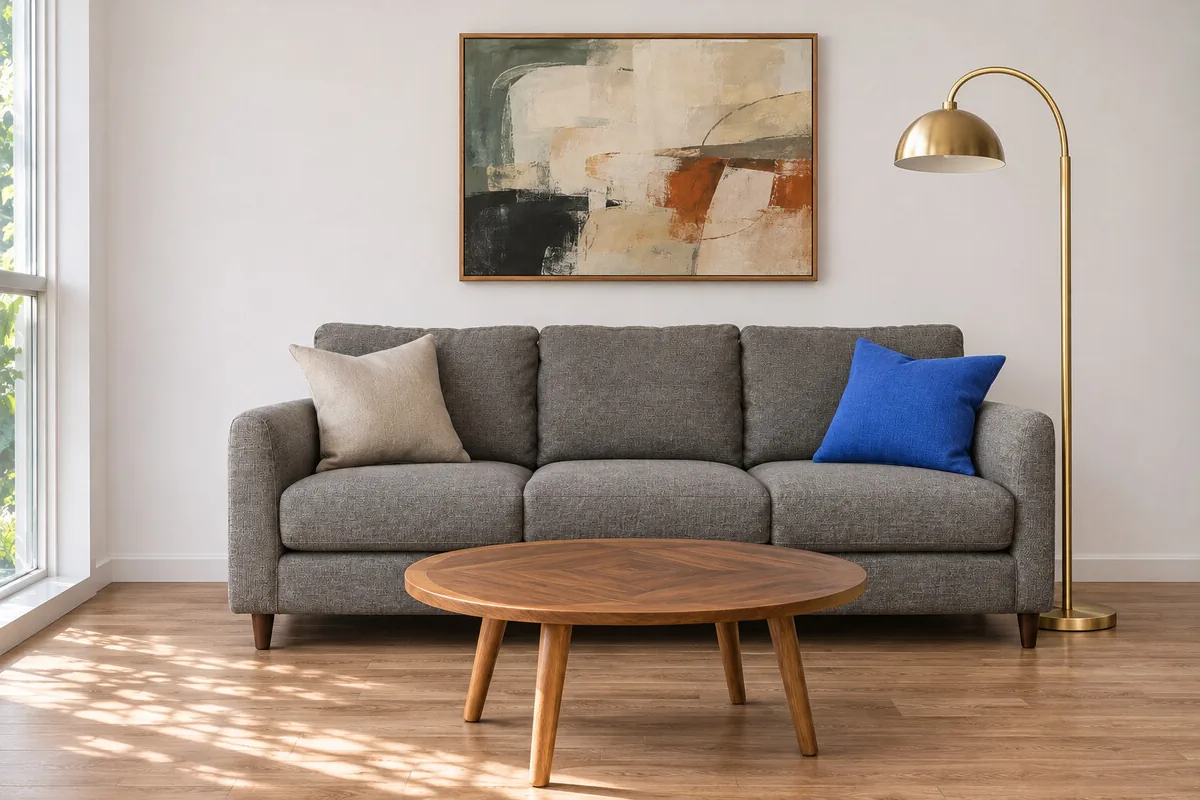
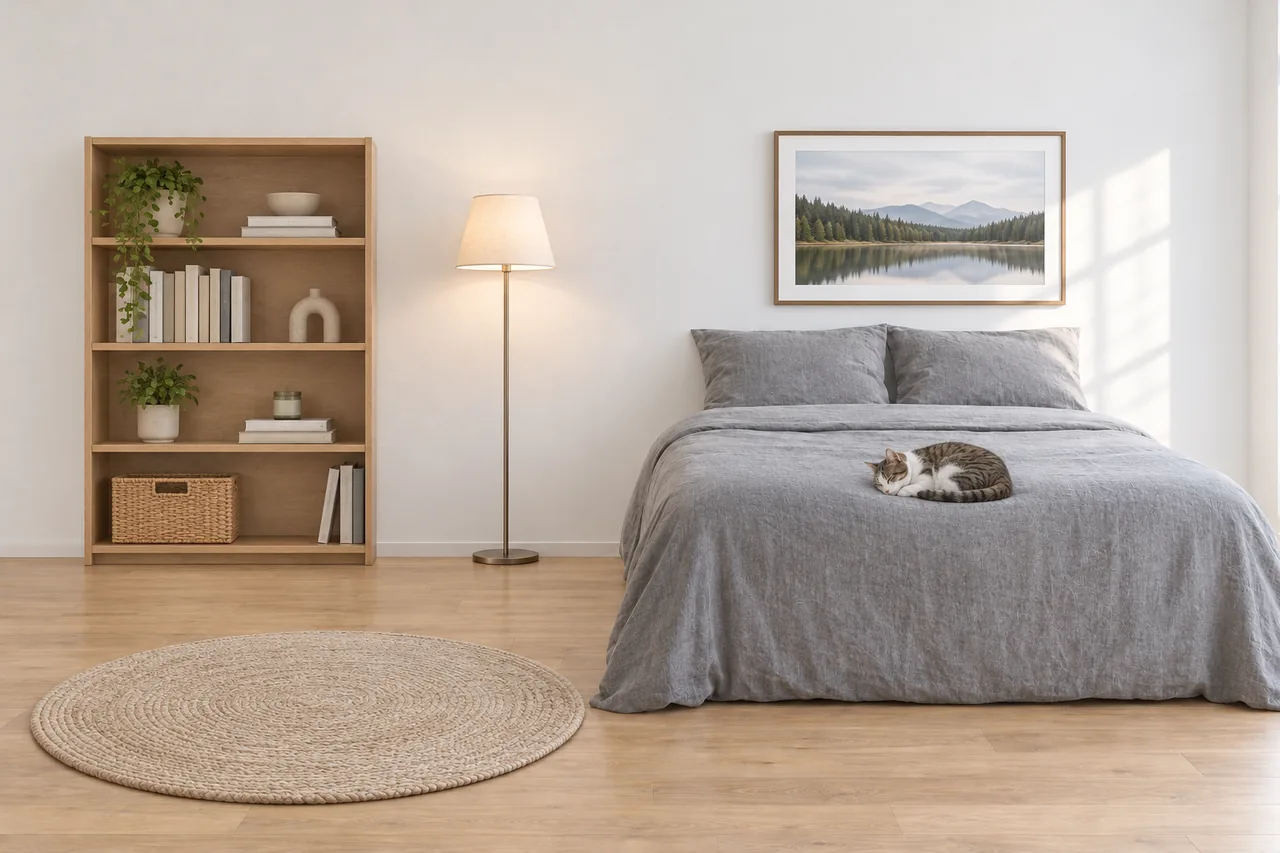
Follow the red markup on this photo. Each number marks a spot and the legend box explains what to do there. Apply every instruction, then remove all of the markup, including the numbers and the legend box, so the result is a clean photo.
Source: OpenAI with fal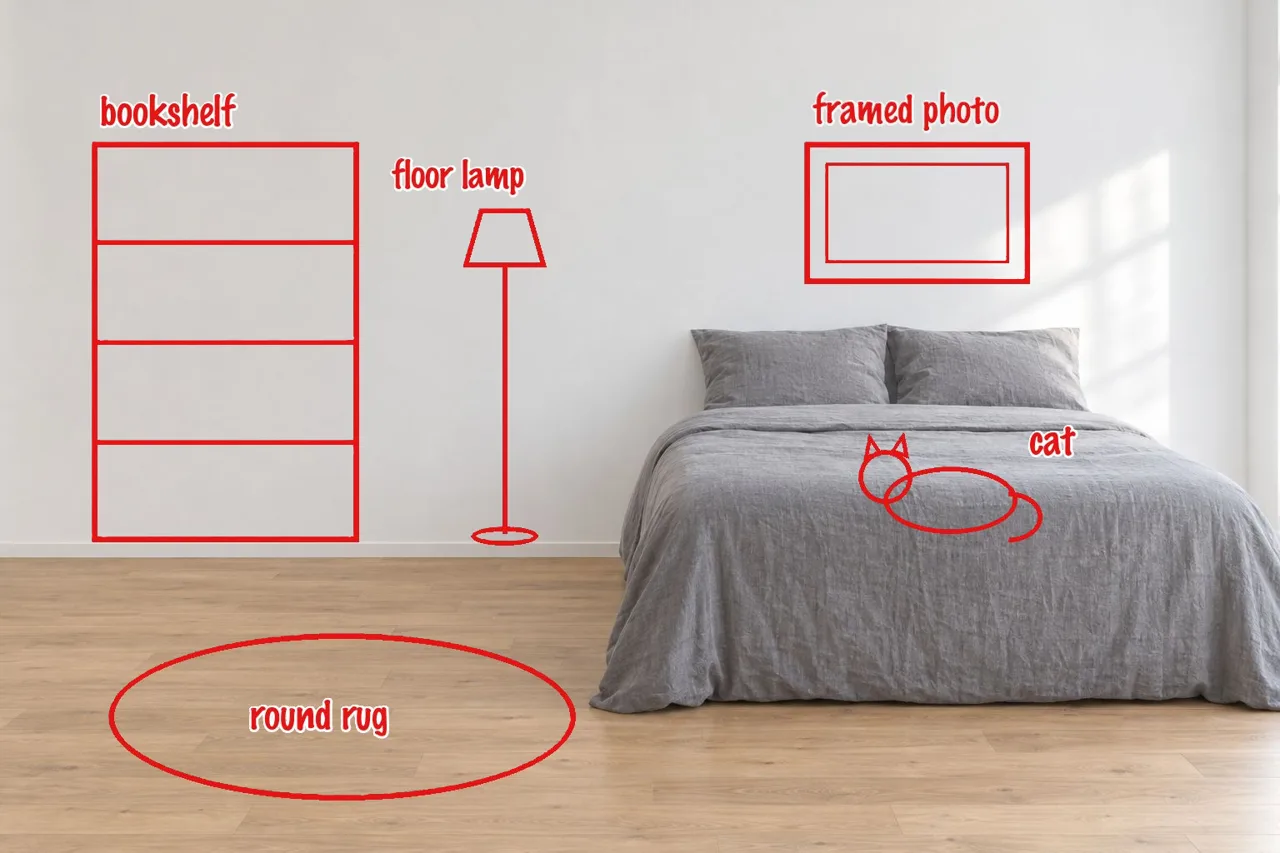 Before
 After
Turn each labeled sketch in the markup into the real object it names, placed exactly where it is drawn. Match the room's soft daylight and style.
Source: fal.aiBefore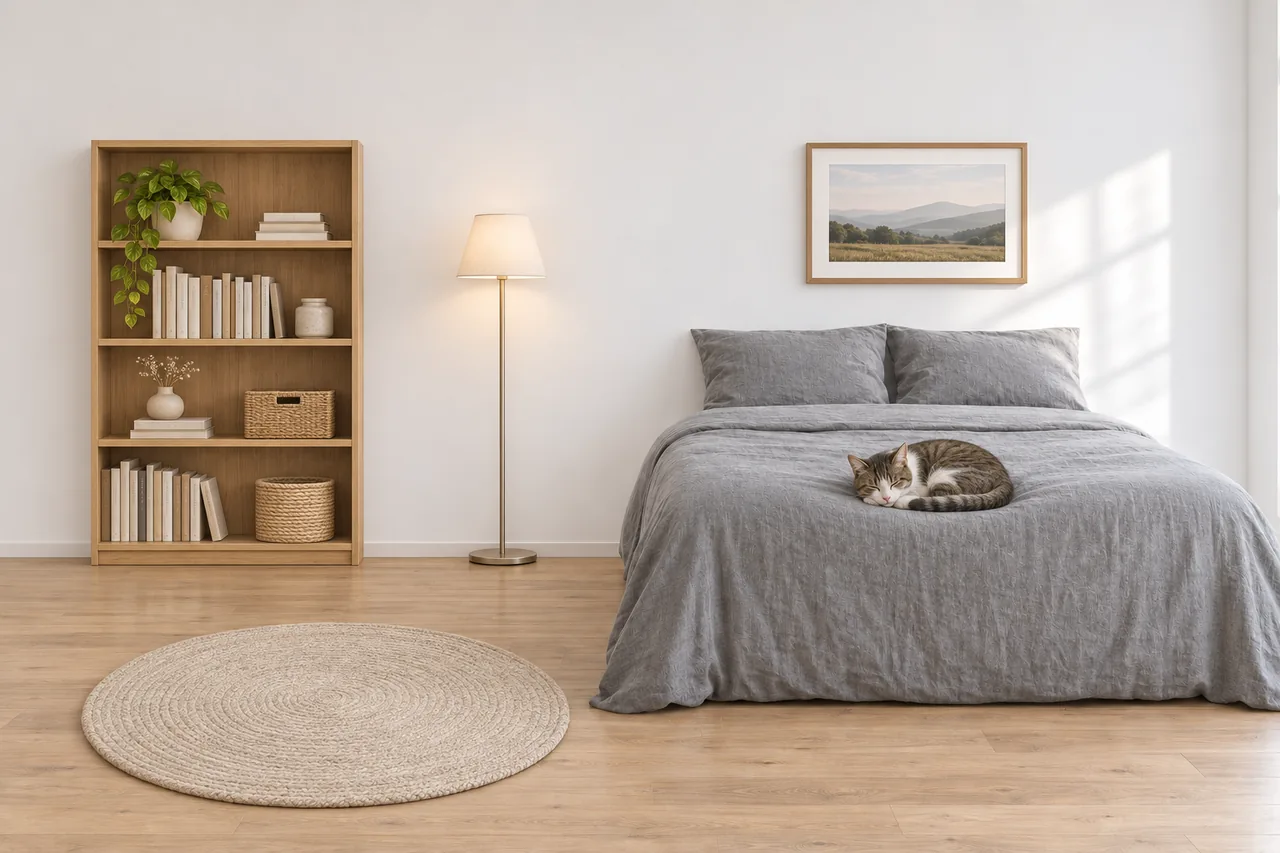 After
Turn each labeled sketch in the markup into the real object it names, placed exactly where it is drawn. Match the room's soft daylight and style.
Source: fal.aiBefore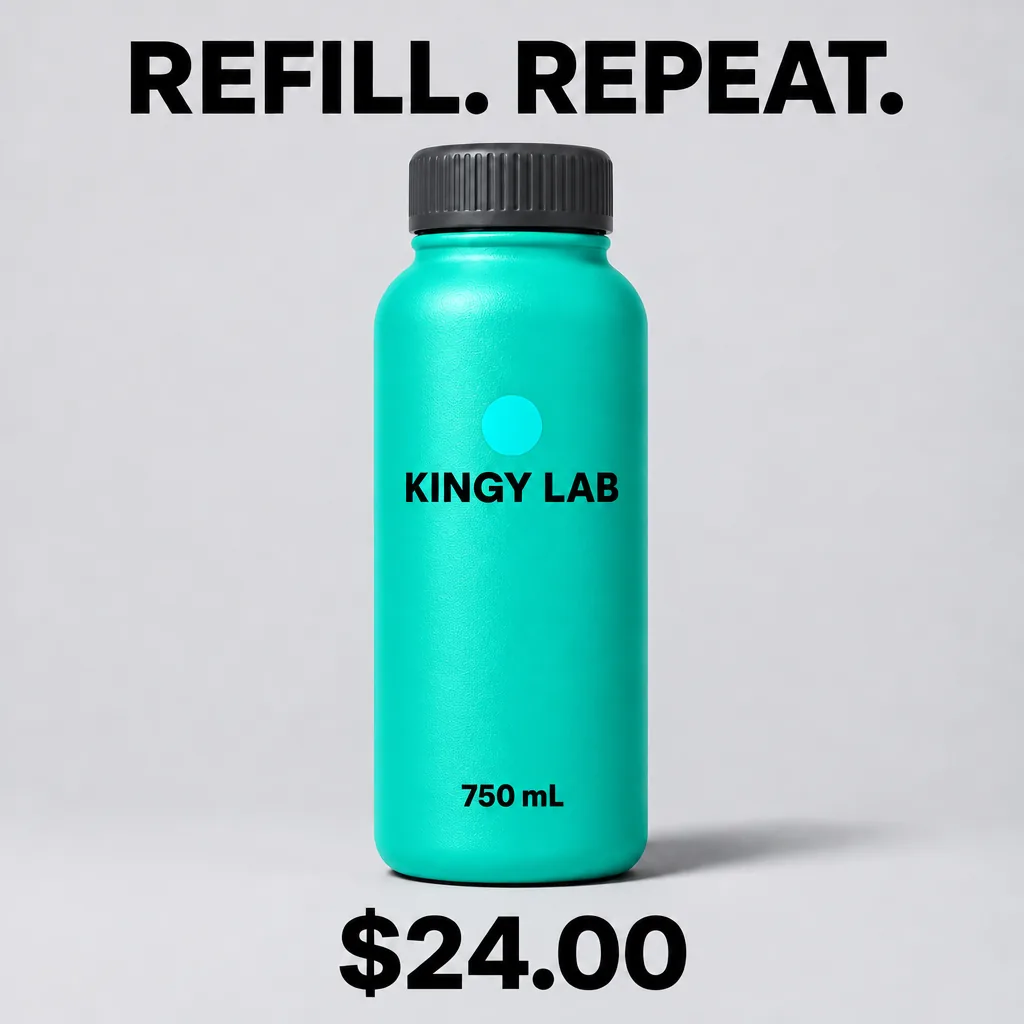 After
Edit this product graphic. Change only the bottle body from orange to turquoise and change the price "$29.00" to "$24.00". Keep the cap charcoal, the circular badge turquoise, the bottle shape, camera angle, lighting, background, headline "REFILL. REPEAT.", bottle text "KINGY LAB" and "750 mL", and every element's position unchanged. Return the edited image now.
Source: Kingy AI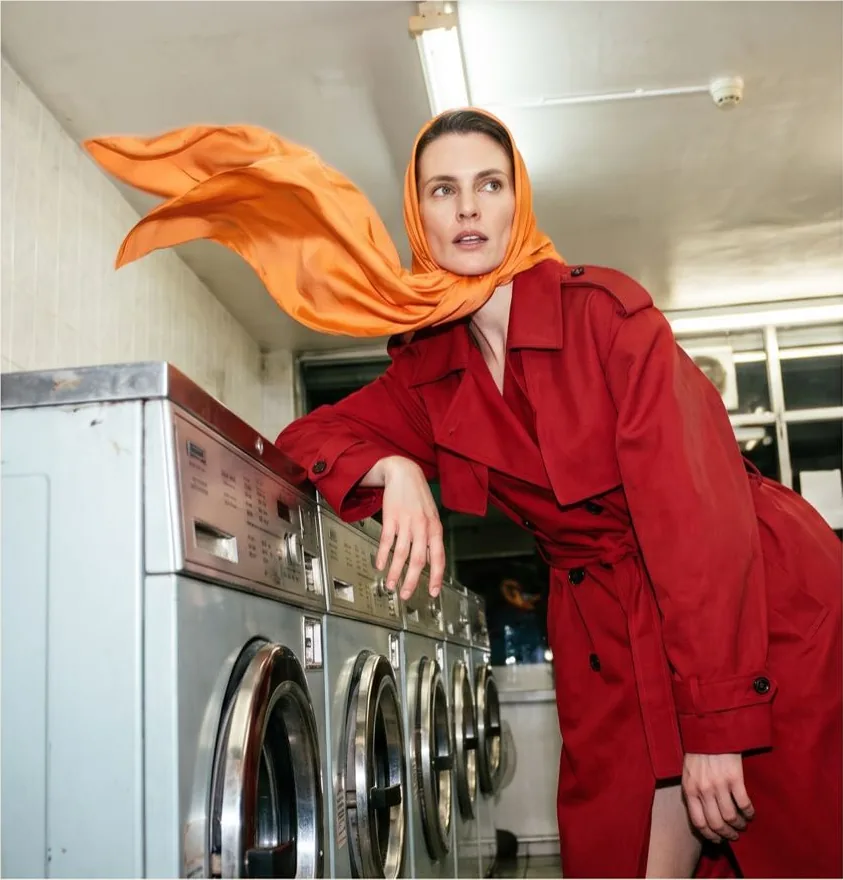 Before
 After
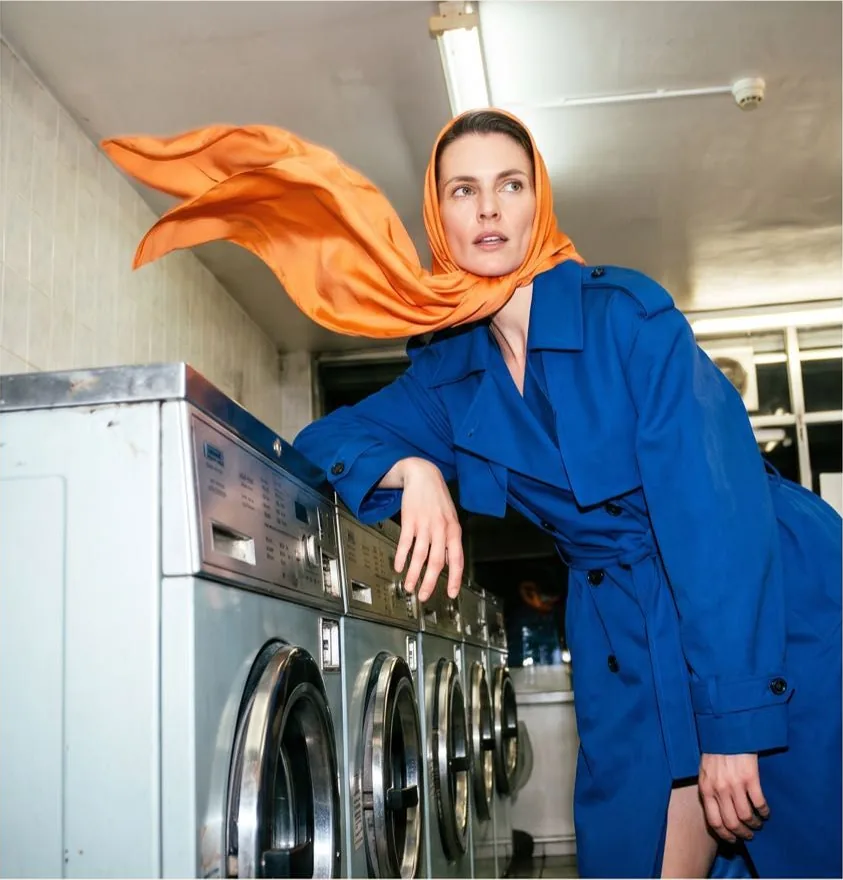
Recolor the red trench coat to navy blue, as a client asked, keeping everything else.
Source: OpenArtWhat’s new in GPT Image 2.6
What OpenAI and fal list for 2.6 next to 2.5. The first three are in the box on this page; the API-only tools are listed so you know they exist.
Animated GIFs
Ask for motion and get a looping GIF back. The API lets a GIF run from 2 to 64 frames at 20 ms to 2 seconds a frame; Flow AI Studio makes 8-frame loops at 120 ms a frame.
About 50% faster
OpenAI says Flare and Sunburst both generate images about 50% faster than before; at low quality Flare returns a still in a few seconds.
Steadier edits with Sunburst
At medium or high quality, Sunburst keeps faces, layouts and small details more consistent across many rounds of edits.
Reference images in ChatGPT
ChatGPT Images 2.6 can start from your photos, including turning a photo or a hand-drawn sketch into a GIF.
New API tools
Markup editing (draw on the image to show what to change), SVG vector export, a reasoning effort setting, and up to 16 reference images per edit.
Same sizes and prices as 2.5
Up to 3840 pixels on the long side and 8.3 megapixels in all, billed by tokens at 2.5’s rates: $30 per million image output tokens.
GPT Image 2.6 Flare vs Sunburst
Both are GPT Image 2.6. They differ in speed, detail and how well an image holds up over many edits.
| Flare | Sunburst | |
|---|---|---|
| In OpenAI’s words | The default model for most applications | Precision-focused, for premium visual work |
| Speed | Fastest; a few seconds at low quality | Slower, in exchange for extra fidelity |
| Best for | Everyday images, drafts, GIFs, sticker packs | Intricate detail and long chains of edits |
| Animated GIFs | Yes | Yes |
| On Flow AI Studio | Available, stills and GIFs | Not served yet |
Quality (low, medium, high) is a separate setting on both and moves the price more than the variant does. On Flow AI Studio a 1K still costs 3 credits at low quality, 7 at medium and 27 at high (51 at 4K high); an 8-frame GIF costs 30 at medium and 36 at high.
How to write GPT Image 2.6 GIF prompts
A GIF here is 8 frames shown 120 ms apart, about one second that loops forever. Every frame shares one pixel budget, so a frame is about 0.66 megapixels (816 x 816 when square). Prompts that suit that size and length work best.
One subject, one motion
A cat waving, a flag rippling, a coffee cup steaming. Several things moving at once in one second turns into jitter.
Say “seamless loop”
Ask for a looping or cyclic motion so the last frame leads back into the first, like the waving fox and the dancing rooster above.
Keep the background plain
A flat colour or simple scene keeps every frame consistent and the file small. Cartoon, flat vector, pixel art and clay styles animate most cleanly.
Use medium or high quality
Low quality is not offered for GIFs: its frames drift apart. High gives crisper edges for stickers and logos.
Prompting GPT Image 2.6 for stills
Put every word to show in quotes
Say what the text says and where it goes: “headline at the top in bold sans serif”. 2.6 spells long lines and small print reliably.
Describe the layout
For posters, menus, infographics and thumbnails, list the parts in order, top to bottom, as you would brief a designer.
Pick quality by job
Low is cheap and fast for ideas, medium suits most finals, high is for print, small text and 4K.
Ask for a transparent background
For logos, stickers and product cut-outs, say “transparent background”; 2.6 can return a PNG with no backdrop.
What GPT Image 2.6 still gets wrong
- Early GIFs are uneven. On launch day some users found the animations rough; short, simple motions on a plain background come out best.
- Photorealism is not its leap. Several users rated 2.6’s photos no better than 2.5’s, sometimes worse; the gains are in speed, GIFs and edits.
- Grain and texture artifacts still show up in some images, and an image edited over and over can grow softer.
- OpenAI’s safety rules apply: some prompts about real people, brands or violence are refused.
From a GPT Image 2.6 picture to a real video
A 2.6 GIF is a silent one-second loop, ideal for stickers, reactions and chat. For a longer clip with camera moves and sound, make a still with GPT Image 2.6, download it, and upload it to Flow AI Image to Video.
Veo 3.1 keeps the character, colours and style of the picture and animates it into a clip of up to 8 seconds with audio, in 16:9 or 9:16.
What people make with GPT Image 2.6
Mascots and characters
A brand mascot that waves, blinks or jumps, kept on model in every frame.
Reaction GIFs and stickers
Looping emotes for WhatsApp, Instagram, Discord and streams, from one line of text.
Animated logos and icons
A spinning badge, a bouncing app icon or a loading animation for a site.
Posters and social graphics
Stills with headlines, prices and dates spelled right, up to 4K.
YouTube thumbnails and product shots
Bold thumbnail text, clean product images and packaging with readable labels.
First frames for video
A still to start a Veo 3.1 clip, so the video opens on exactly the picture you want.
How to use GPT Image 2.6 online
- 1
Choose GIF or still
Animated GIF is selected; pick Still image for a picture, or add a photo to edit it. Either way the model is GPT Image 2.6.
- 2
Describe it
Write the prompt, or press Use this prompt on any example. Set the shape, then press Create.
- 3
Pick quality, create and download
The image studio opens with your prompt. Pick the quality (and the resolution for stills), see the price on the button, and download the GIF or image when it is ready.
GPT Image 2.6 FAQ
What is GPT Image 2.6?
GPT Image 2.6 is OpenAI’s image model released on November 4, 2026, called ChatGPT Images 2.6 inside ChatGPT. It adds animated GIF output, generates about 50% faster than 2.5, and comes in the API as two variants, Flare and Sunburst.
Can I use GPT Image 2.6 for free?
ChatGPT offers Images 2.6 on its plans, free included, with usage limits. On Flow AI Studio you need no ChatGPT plan or API key: new accounts get 100 free credits, enough for 3 GIFs or 33 low-quality stills. A still costs from 3 credits and a GIF from 30.
How do I make a GIF with GPT Image 2.6?
Leave the box at the top of this page on Animated GIF, describe one subject and one motion, ideally with “seamless loop”, and press Create GIF. You get an 8-frame looping GIF in under a minute.
Why can’t I make GIFs in ChatGPT?
OpenAI rolled GIFs out to ChatGPT gradually from November 4, 2026, so some accounts did not have them on day one. The API had GIF output from launch, and this page uses the API, so GIFs work here even if your ChatGPT does not show them yet.
What is the difference between Flare and Sunburst?
Both are GPT Image 2.6. Flare is OpenAI’s default: the fastest, for most images and GIFs. Sunburst is slower and built for intricate detail and many rounds of edits that stay consistent. Flow AI Studio runs Flare.
Is GPT Image 2.6 better than GPT Image 2.5?
It is faster, it makes GIFs, and Sunburst holds edits steadier. For plain photographs, early users found little or no gain over 2.5. If you need motion or speed, 2.6 is the one to use.
How much does GPT Image 2.6 cost?
In the API, OpenAI bills 2.6 by tokens at 2.5’s rates, $30 per million image output tokens, so price depends on size and quality. On Flow AI Studio a still costs 3 to 51 credits and an 8-frame GIF 30 or 36, with no subscription needed.
What sizes can GPT Image 2.6 make?
Any shape up to 3:1 with up to 3840 pixels on the long side and about 8.3 megapixels in all. Flow AI Studio offers 1K, 2K and 4K stills in seven aspect ratios, and GIFs at about 0.66 megapixels a frame in the same shapes.
Can I turn a GPT Image 2.6 image into a video?
Yes. Download the still and upload it to Flow AI Image to Video, where Veo 3.1 animates it into a clip of up to 8 seconds with sound. A GIF is already animated but silent and about one second long.
Can I use GPT Image 2.6 images commercially?
OpenAI’s terms give you the rights to what you generate, subject to its usage policies. Make sure your prompts and outputs do not copy other people’s trademarks or likenesses.
Is Flow AI Studio made by OpenAI?
No. Flow AI Studio is an independent AI studio that runs GPT Image 2.6 through a hosted API, alongside Google’s Veo and Nano Banana models. GPT Image 2.6 is developed by OpenAI.
Make your first GPT Image 2.6 GIF
One sentence in, a looping animation out. No API key, no waiting list.
Create with GPT Image 2.6Flow AI Studio is not affiliated with OpenAI. GPT Image 2.6, ChatGPT and their names belong to OpenAI. The examples on this page were published by OpenAI and its partners, and link to their sources.
Herramientas relacionadas
Otras páginas de Flow AI Studio que abren el mismo estudio, preparado para otra tarea.
- Animar fotos con IAConvierte una foto, o un primer y un último fotograma, en un clip de Veo 3.1 con sonido.
- Flow AI Image GeneratorCrea y edita imágenes con Nano Banana 2, Nano Banana Pro y GPT Image 2.
- Gemini Watermark RemoverQuita gratis el destello de Gemini de imágenes de Gemini, Nano Banana y Flow.
- Hotel Lobby IAPonte en el video de la tendencia Hotel Lobby.
- Modelos de video con IATodos los modelos de video de Flow AI Studio y lo que cuestan.